
GPS Tracking Software
A cloud-based platform that puts every vehicle, trailer, asset, and piece of equipment on one live map — accessible from your browser, iPhone, or Android device the moment a tracker is installed.
One Platform. Every Asset. Any Device.
Tracker Systems' GPS tracking software is a cloud-based platform — nothing to install on a computer, no server to maintain. Pair any Tracker Systems GPS device with a service plan and your entire operation is visible in real time from a web browser, the iOS app, or the Android app. Vehicles, trailers, equipment, and assets all report to the same account, the same map, and the same set of reports.
The Live Map Interface
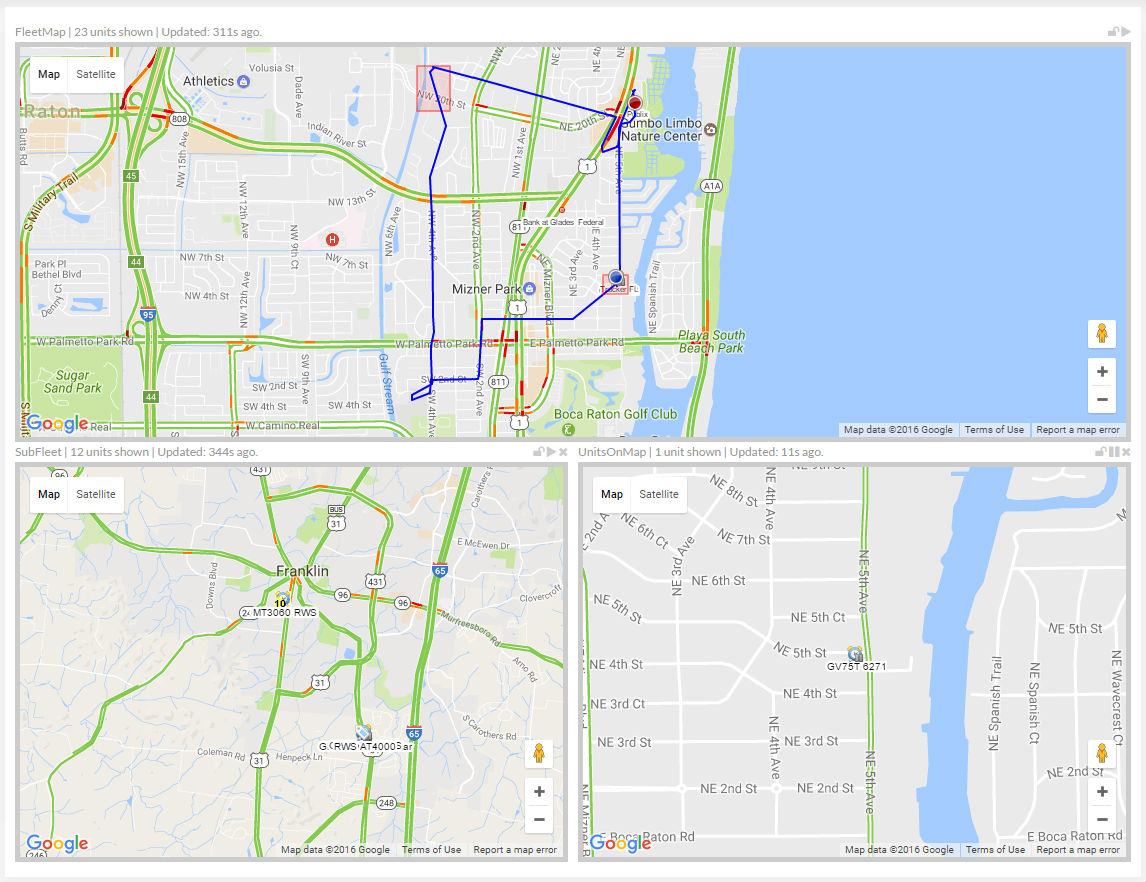
The platform's map view is the operational center of the software. Every tracked asset appears as a live pin on a full-screen map — updated in real time as assets move. Switch between street, satellite, and hybrid map modes. Click any asset pin to see its current speed, heading, ignition status, driver, and last stop. Filter the map by asset group, location, or status to cut through the noise on large operations.
-
Live Asset Pins
Every tracked vehicle, trailer, and asset appears on the map in real time. Pin color and icon indicate status — moving, idle, stopped, or offline — at a glance.
-
Multiple Map Modes
Switch between street map, satellite imagery, and hybrid view. Satellite mode is especially useful for job sites and yard management where knowing exact position within a property matters.
-
Asset Detail Panel
Click any pin to see current speed, heading, driver name, ignition state, last known address, and time since last update — without leaving the map view.
-
Geofence Overlays
Draw geofences directly on the map and see which assets are currently inside or outside a defined zone. Active geofence boundaries are visible as overlays on the live map.
-
Route Playback
Replay any asset's movement over a selected time period. Step through stops, speed changes, and route deviations directly on the map to verify activity or investigate incidents.
-
Fleet Grouping & Filters
Organize assets into groups — by vehicle type, location, driver, or job — and filter the map to show only what's relevant. Manage large operations without losing visibility of individual assets.
Mobile App — iOS & Android
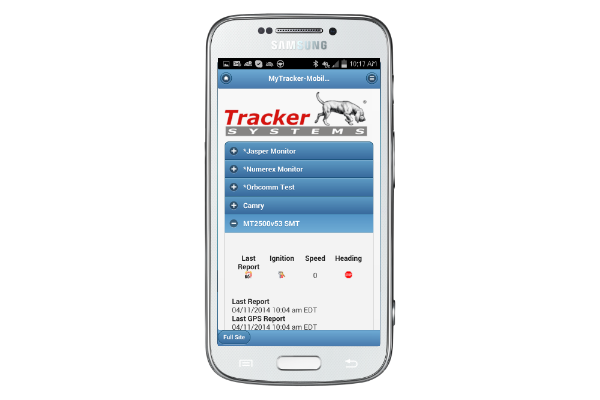
The Tracker Systems mobile app delivers the full platform experience on your phone. Live map, alerts, route history, and reporting are all available on iOS and Android — not a stripped-down version, the complete platform.
- Live map with real-time asset locations
- Push notifications for alerts and geofence events
- Route history and playback
- On-demand and scheduled reports
- Manage multiple users and asset groups
- Available on the App Store and Google Play
Access From Any Device
The platform is designed to be available wherever you are — in the office at a desktop, in the field on a phone, or between locations on a tablet.
-
Desktop & Web Browser
The full platform runs in any modern web browser — Chrome, Safari, Edge, Firefox. No software to install. Log in from any computer and your entire operation is visible immediately. The web interface is optimized for large-screen use with full map controls, advanced reporting, and account management.
-
iOS App
Available on the Apple App Store for iPhone and iPad. The iOS app provides live tracking, push notifications for alerts and geofence events, route history, and report access. Managers and dispatchers get full operational visibility without being tied to a desk.
Download on the App Store -
Android App
Available on Google Play for Android phones and tablets. The same feature set as iOS — live map, alerts, route playback, and reports. Both mobile apps stay synchronized with the web platform in real time, so your team always sees the same data regardless of which device they're using.
Get it on Google Play
Platform Features
The GPS tracking software platform includes the full feature set below, available across web, iOS, and Android. No feature tiers based on device — if you have a Tracker Systems device on a service plan, you have access to the complete platform.
-
Configurable Alerts Engine
Set alerts for speeding, harsh braking, geofence entry/exit, unauthorized movement, idle time, low battery, and more. Deliver alerts by email, SMS, or push notification to any combination of users on your account.
-
Geofencing
Draw virtual boundaries on the map around job sites, yards, customer locations, or restricted areas. Alerts fire the moment an asset crosses a boundary — entry, exit, or both. Unlimited geofences per account.
-
Reporting Suite
Generate trip summaries, mileage logs, idle reports, stop reports, speed reports, driver behavior summaries, and geofence activity reports. Schedule any report to run automatically and deliver by email on a daily, weekly, or monthly basis.
-
Driver Behavior Monitoring
Track speeding events, harsh braking, rapid acceleration, and after-hours usage by driver. Generate driver scorecards to identify coaching opportunities and document performance over time.
-
User Management & Permissions
Add multiple users to your account with configurable permissions. Give dispatchers map-only access, give managers full reporting access, and restrict which asset groups each user can see. No per-seat licensing fees.
-
Asset & Group Management
Organize tracked assets into custom groups — by vehicle type, location, driver, department, or job site. Reports, alerts, and map filters all work at the group level so large operations stay manageable.
API & Third-Party Integrations
Tracker Systems provides API access for businesses that need to connect GPS tracking data to other operational tools. Pull live location data, trip history, alerts, and asset status into your own systems — dispatch software, fleet management platforms, accounting tools, or custom internal dashboards.
-
REST API Access
Query live and historical GPS data programmatically. Retrieve asset locations, trip history, alert logs, and account data via standard REST endpoints. API documentation is available to active account holders.
-
Dispatch & Fleet Software Integration
Connect Tracker Systems data to your existing dispatch or fleet management software. Feed real-time vehicle locations directly into routing, scheduling, or ERP tools so your operations team works from a single source of truth.
-
Data Export
Export trip history, mileage logs, driver reports, and alert data in standard formats. Use exported data for payroll, IFTA fuel tax reporting, insurance documentation, or any compliance requirement that needs vehicle activity records.
How the Platform Works
Getting from hardware to live tracking takes three steps. There's no complex configuration, no on-site server, and no IT involvement required.
-
1. Install the GPS Device
Plug a tracker into the OBD-II port, hardwire it to the vehicle, or magnetically mount a battery or solar-powered unit to an asset. Most installations take under five minutes. The device begins transmitting immediately over the cellular or satellite network.
-
2. Activate Your Account
Your account is provisioned when you purchase a service plan. Log in from a browser or the mobile app, and your device appears on the live map within minutes of installation. No software to configure, no server to connect to.
-
3. Monitor From Anywhere
Your entire operation is now visible in real time from the web platform, the iOS app, or the Android app. Set up alerts, configure geofences, and schedule reports to match your workflow. U.S.-based support is available if you need help with setup.
GPS Tracking Software — Frequently Asked Questions
Is the GPS tracking software included with the hardware?
The hardware and software are sold together — you purchase the GPS device and a monthly service plan, and the software platform is included in the plan. There is no separate software license fee. The monthly plan covers cloud access, data hosting, software updates, and U.S.-based support.
Do I need to install any software on my computer?
No. The platform runs entirely in a web browser — Chrome, Safari, Edge, or Firefox on any operating system. There is nothing to download or install on a desktop or laptop. The iOS and Android mobile apps are optional and available for download from the App Store and Google Play.
Does the mobile app have the same features as the desktop platform?
Yes. The Tracker Systems iOS and Android apps provide access to the full platform — live map, route history, alerts, reports, and geofence management. Both apps stay synchronized with the web platform in real time.
Can I integrate the GPS data with other software we use?
Yes. Tracker Systems provides API access for active account holders, allowing you to pull GPS location data, trip history, alert logs, and asset status into your own dispatch, fleet management, or ERP systems. Contact our support team for API documentation and integration guidance.
How many users can access the platform?
Multiple users can be added to a single account with configurable permissions. You can give different users access to different asset groups, map-only views, or full administrative access. There are no per-seat licensing fees for additional users.
Can the software track vehicles and equipment on the same account?
Yes. All Tracker Systems GPS devices — regardless of type — report to the same platform. Hardwired vehicle trackers, OBD plug-ins, solar-powered trailer trackers, and battery-powered asset trackers all appear on the same map and feed into the same reports. You can organize them into separate groups or view everything together.